
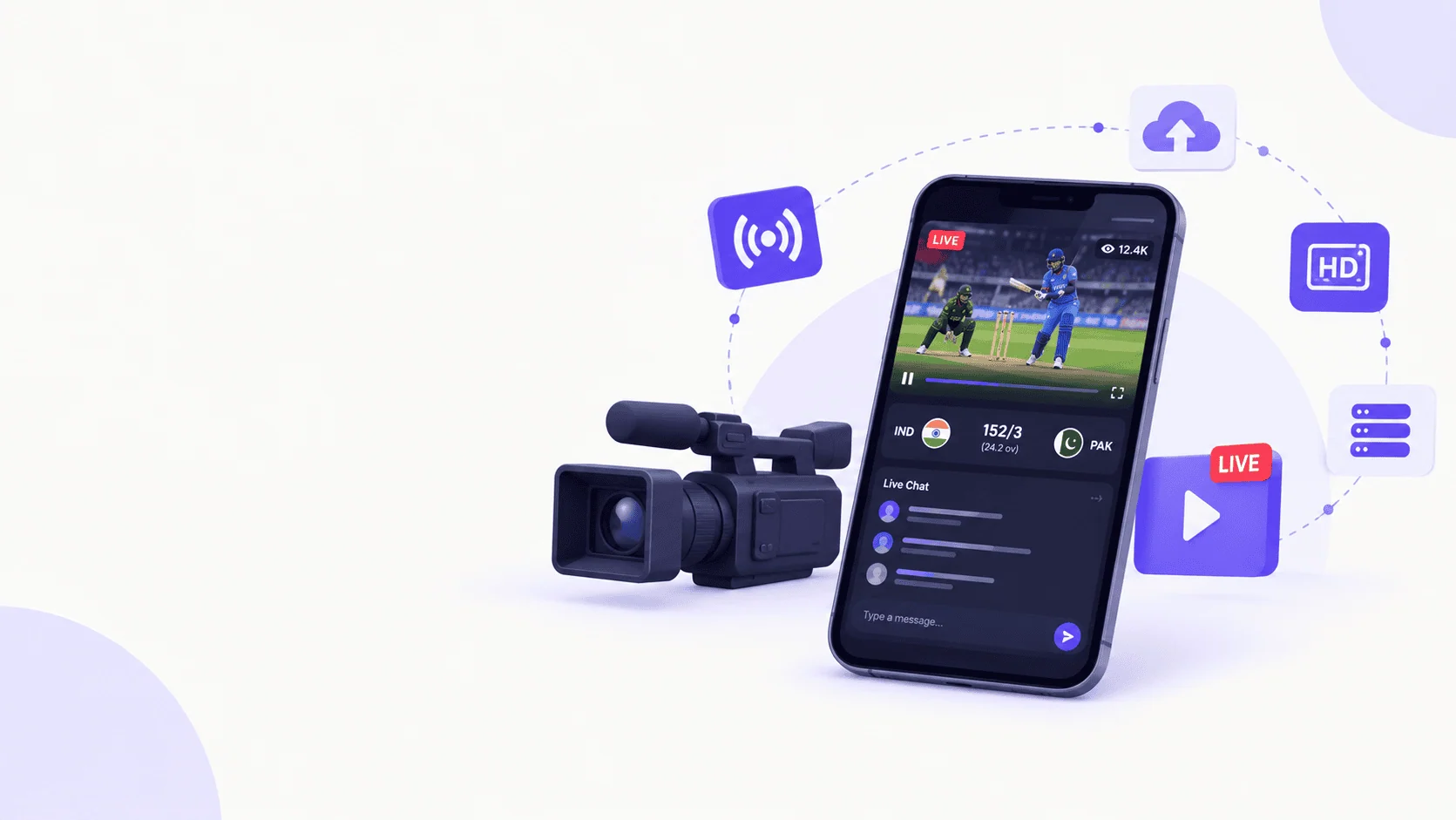
What if fans could watch their favorite cricket matches, football games, and other sporting events live from anywhere, directly on their smartphones? A live sports streaming app like CricoScore makes this possible by bringing real-time broadcasts, match schedules, live scores, and interactive fan experiences into one digital platform.
As sports audiences increasingly consume content across mobile devices, web browsers, and connected TVs, sports organizations, broadcasters, tournament organizers, and entrepreneurs have opportunities to create their own streaming platforms. However, building a successful app requires more than embedding a video player. It involves reliable video delivery, scalable infrastructure, secure content access, intuitive design, and a sustainable business model.
To build a live sports streaming app, you need to define your audience, secure broadcasting rights, choose a streaming architecture, develop the application, integrate video delivery and payments, and test the platform under realistic viewing loads.
In this guide, we’ll explain how to plan, develop, launch, and scale a live sports streaming application, including the technology choices and business decisions that matter most.
What Is a Live Sports Streaming App?
A live sports streaming app is a mobile, web, or connected-TV application that allows users to watch sporting events as they happen over the internet. It receives a live video feed, processes it into streamable formats, distributes the video through a delivery network, and plays it on viewers’ devices.
Depending on its purpose, the app may support live matches, tournament coverage, replays, highlights, commentary, live scores, statistics, subscriptions, and interactive features.
For example, a cricket league could use a streaming app to broadcast local tournaments, display scorecards, publish match schedules, and offer premium access to selected games. A football academy could use a similar platform to stream youth competitions for parents, scouts, and supporters.
Unlike a general-purpose video app, a sports streaming platform must handle sudden audience spikes, time-sensitive live content, and viewer expectations for uninterrupted playback.
How to Build a Live Sports Streaming App Step by Step
Building a sports streaming app is easier to manage when development is divided into clear stages. Each stage should address a specific business or technical requirement before the team moves to the next.
Step 1: Define your app idea and target audience
Start by deciding exactly what type of sports streaming platform you want to build. Your audience, content rights, expected viewership, and business model will influence almost every technical decision.
You might develop a platform for a regional cricket league, a football tournament organizer, a sports broadcaster, an amateur sports community, or a subscription-based sports media business.
Identify the primary user groups and their needs. Fans may want instant access to live matches, while coaches may need recorded games for analysis. Tournament organizers may prioritize broadcasting controls, event schedules, score updates, and audience analytics.
Define the core value proposition before investing in development. A focused platform serving one sport or a particular community is often easier to validate than a large service attempting to cover every sport from launch.
Step 2: Secure sports broadcasting rights
Broadcasting rights are a fundamental requirement for a legitimate sports streaming business.
Before streaming a match, confirm that you have permission to distribute the event in your intended territories and through your chosen channels. Rights agreements may specify geographic restrictions, subscription requirements, permitted devices, replay windows, advertising arrangements, and the duration of access.
Depending on the event, permissions may involve a league, club, tournament organizer, broadcaster, venue, or another rights holder. You may also need to address music, commentary, trademarks, and other protected content.
Important: Do not assume that permission to record a match automatically grants permission to stream it commercially. Obtain appropriate legal guidance and document the rights you hold before broadcasting.
For a startup, partnering with a local league, academy, or tournament organizer can provide a practical way to validate demand and establish a legitimate content pipeline.
Step 3: Choose the right streaming technology
Your streaming technology determines how video is captured, processed, delivered, and played back. The best choice depends on audience size, latency targets, content protection, budget, and device compatibility.
The following technologies commonly appear in sports streaming architectures.
| Technology | Primary purpose | Best use case |
|---|---|---|
| HLS | HTTP-based adaptive video delivery | Broad device compatibility and large audiences |
| MPEG-DASH | Adaptive streaming over HTTP | Multi-device streaming with compatible players |
| RTMP | Live feed ingestion | Sending a broadcast feed to a streaming service |
| SRT | Reliable video transport over variable networks | Contribution feeds from remote venues |
| WebRTC | Real-time audio and video communication | Interactive streams and very low-latency experiences |
| CDN | Distributed content delivery | Delivering video segments to geographically dispersed viewers |
These technologies serve different roles rather than acting as direct substitutes for one another. HLS and MPEG-DASH are commonly used for viewer playback, whereas RTMP and SRT can transport video into a processing pipeline. WebRTC is useful when interaction and very low latency are more important than the simplest large-scale broadcast workflow.
For many sports apps, a sensible starting point is a managed live video service that supports adaptive streaming, paired with a CDN and native or web-based playback components.
Step 4: Design the app UI and user experience
Sports fans often open an app because a match is about to begin. They should be able to find the event and start watching without navigating through unnecessary screens.
Plan a straightforward user journey, from discovering a match to watching it and checking its score.
The main screen should highlight live and upcoming events. Match pages should display the video player, event information, current score where available, and relevant viewing options.
Consider accessibility, readable typography, captions, screen-reader support, clear playback controls, and layouts that work across screen sizes. Test the experience on lower-end devices and slower connections if your target audience may use them.
A polished interface is valuable, but usability during live events is even more important. Viewers should not have to search for the play button, troubleshoot confusing errors, or repeatedly sign in while a match is underway.
Step 5: Develop the backend and admin dashboard
The backend manages the application data and the business logic that connects viewers, events, video streams, and payments.
A well-designed backend typically handles user accounts, event schedules, stream metadata, access permissions, subscription status, notifications, analytics, and administrative operations.
The admin dashboard should allow authorized staff to create events, configure stream sources, publish schedules, monitor broadcasts, and manage users. Depending on the use case, it may also include tournament management, match results, commentary details, advertising placements, and content moderation.
For sports organizations, an integrated tournament and streaming workflow can be especially useful. An administrator could schedule a match, publish its details, connect the broadcast feed, and make the event available to eligible viewers from one dashboard.
Build clear permissions for administrators, broadcasters, commentators, and ordinary users. Keeping these responsibilities separate improves operational control and security.
Step 6: Integrate live video streaming
The video pipeline is the technical core of the application. It must turn the source broadcast into video that viewers can access reliably.
A typical workflow includes video ingestion, encoding, packaging, delivery, and playback.
i. Video ingestion
Receive the camera or production feed through a suitable contribution protocol. For important events, consider redundant feeds and backup connectivity.
ii. Encoding and transcoding
Convert the source video into multiple resolutions and bitrates so viewers can receive a stream suited to their devices and network conditions.
iii. Packaging and delivery
Prepare the stream in compatible formats and deliver its manifests and segments through a CDN.
iv. Player integration
Add playback controls, loading states, error handling, adaptive quality, and recovery behavior to the app.
One option is to use managed infrastructure such as AWS Elemental MediaLive for live encoding, AWS Elemental MediaPackage for packaging and origination, and Amazon CloudFront for content delivery. Other cloud providers and specialist video platforms may also be appropriate.
For an MVP, managed services can reduce the amount of streaming infrastructure your team needs to build and operate itself. Custom infrastructure may become appropriate when you have specialized latency, cost, compliance, or control requirements.
Step 7: Add Essential Sports Streaming Features
Start with the features that help users discover events, watch matches, and return to the platform. Expand the product as you learn from actual viewing behavior.
| Feature | Why it matters |
|---|---|
| Live video player | Enables users to watch ongoing events |
| Match schedules | Helps fans find upcoming games |
| Live scores and statistics | Provides match context alongside video |
| Push notifications | Alerts users when a match starts or important events occur |
| User accounts | Supports personalization and access management |
| Search and filters | Helps users find sports, teams, and tournaments |
| Adaptive video quality | Adjusts playback to changing network conditions |
| Subscriptions and payments | Supports paid viewing models |
| Replay and highlights | Extends the value of recorded match content |
| Admin dashboard | Enables event and broadcast management |
| Analytics | Tracks stream health and user engagement |
| Content protection | Helps enforce viewing rights and access policies |
For the first release, prioritize reliable playback, event discovery, basic administration, and the access controls required by your business model. Features such as multi-camera viewing, live chat, fantasy integrations, advanced statistics, and AI-powered highlights can be introduced later if they serve a clear user need.
Step 8: Implement Security and Content Protection
A sports streaming app may contain premium broadcasts, subscriber information, and payment data. Security should therefore be part of the initial architecture rather than an afterthought.
Use secure authentication, role-based authorization, encrypted network connections, and carefully managed access tokens. Protect video delivery using signed URLs or cookies, short-lived playback credentials, and geographic restrictions where required by the rights agreement.
For premium content, consider digital rights management (DRM) supported by your chosen streaming formats and devices. DRM can make unauthorized copying more difficult, although no system can guarantee that all screen recording or piracy will be prevented.
Keep payment processing with a reputable payment provider, minimize sensitive data storage, and monitor suspicious account activity. Use appropriate privacy disclosures, retention policies, and access controls for personal data.
Security also includes operational readiness. Limit access to broadcast controls, protect stream keys, and maintain a process for disabling compromised credentials or replacing a failed stream source quickly.
Step 9: Test the app before launch
A streaming app can appear to work perfectly during a small internal demonstration but fail when thousands of fans join a major event.
Test the complete viewing experience under realistic conditions before launching publicly.
Important test areas include playback startup time, buffering, stream latency, video quality changes, authentication, subscription access, and compatibility across supported devices.
Run load tests against your APIs, databases, event pages, and supporting services. Separately test the video delivery pipeline at realistic bitrates and viewer counts. Simulate sudden traffic increases, interrupted source feeds, origin failures, and network instability.
For important tournaments, consider a rehearsal event with the actual production equipment, network connections, staff, and backup procedures.
A monitoring dashboard should help the operations team identify stream failures, rising startup times, playback errors, and unusual bandwidth consumption while an event is live.
Step 10: Launch, monitor, and improve
Start with a manageable audience or a limited event schedule. This allows your team to validate the platform before taking on more demanding broadcasts.
Track meaningful metrics, including successful playback starts, buffering ratio, average viewing duration, stream availability, subscription conversion, and event retention. Use these insights to identify problems and prioritize improvements.
After launch, maintain a regular release cycle for app updates, security patches, device compatibility, and backend improvements. Review feedback from viewers and broadcasters after every important event.
A successful launch is not the end of development. It is the beginning of a continuous process of improving the viewing experience, expanding coverage, and strengthening the platform’s business model.
Best Technology Stack for a Live Sports Streaming App
The ideal technology stack depends on whether you are building a lightweight local sports app, a subscription-based streaming service, or a large-scale broadcasting platform.
A practical stack separates the application experience from the video infrastructure so each layer can scale independently.
| Layer | Possible technologies | Purpose |
|---|---|---|
| iOS app | Swift, SwiftUI | Native iPhone and iPad experience |
| Android app | Kotlin, Jetpack Compose | Native Android experience |
| Cross-platform app | React Native, Flutter | Shared development across mobile platforms |
| Web application | React, Next.js | Browser-based streaming and event discovery |
| Backend | Node.js, Python, Go | APIs, authentication, events, and business logic |
| Database | PostgreSQL, Redis | Persistent records and caching |
| Video infrastructure | Managed streaming service or cloud media services | Ingestion, encoding, packaging, and playback |
| Content delivery | CDN | Scalable video delivery |
| Payments | Appropriate payment gateway and in-app billing | Subscriptions and transactions |
| Monitoring | Application and video analytics tools | Performance and reliability tracking |
These are possible choices, not mandatory requirements. Select technologies based on your team’s expertise, expected audience, operating budget, and platform requirements.
Should You Build a Custom Streaming Engine or Use a Managed Service?
For most new sports streaming products, using a managed video service is the more practical starting point.
A managed service can provide encoding, playback delivery, recording, and related infrastructure without requiring your team to operate every component. Your developers can focus on the app, user experience, tournament workflows, subscriptions, and other features that differentiate the product.
A custom streaming pipeline offers more control over encoding, latency, security, and infrastructure costs, but it also creates additional engineering and operational responsibilities.
A useful approach is to build your own product experience around proven streaming infrastructure, then customize or replace components when measurable requirements justify doing so. Cloud streaming architectures commonly separate encoding, packaging, and CDN delivery for exactly this reason.
How Much Does It Cost to Build a Live Sports Streaming App?
The cost of building a live sports streaming app depends on its features, platforms, streaming infrastructure, expected audience, security requirements, and development team.
There is no reliable universal price because a simple app using managed video delivery is fundamentally different from a multi-platform service with premium broadcast rights, DRM, redundant feeds, and a large global audience.
The following figures are illustrative planning estimates in USD, not verified market quotes.
| Development scope | Illustrative development budget | Typical scope |
|---|---|---|
| Basic MVP | $10,000–$30,000 | One main platform, managed streaming, event listings, basic administration |
| Mid-level platform | $30,000–$100,000 | Multiple platforms, subscriptions, analytics, improved administration |
| Advanced platform | $100,000–$300,000+ | Multi-platform delivery, advanced content protection, complex workflows, high-availability design |
Actual quotes may fall outside these ranges, particularly when broadcast equipment, rights acquisition, or enterprise-grade infrastructure is involved. They should be validated with a project-specific specification and vendor estimates.
What influences the development cost?
Application complexity: A single-platform MVP costs less to develop than native iOS and Android apps, a web app, and a connected-TV experience.
Streaming infrastructure: Encoding, video packaging, recording, storage, and delivery all affect operating expenses.
Audience size: More viewers generally mean more video delivery, although actual costs depend on bitrate, viewing duration, CDN pricing, and service architecture.
Content licensing: Sports broadcasting rights can be a major business expense, separate from software development.
Advanced features: DRM, multi-camera playback, low-latency streaming, live chat, advanced analytics, and automatic highlight generation add complexity.
Maintenance: Security updates, monitoring, infrastructure management, device compatibility, and customer support continue after launch.
What are the ongoing costs?
Budget for cloud services, video delivery, engineering maintenance, customer support, analytics, payment processing, marketing, and content licensing.
Video delivery deserves particular attention because its costs can increase with viewing hours and video bitrate. AWS documentation identifies stream configuration, bitrate, and audience demand as factors affecting live-streaming costs.
Before selecting a provider, model the cost of a typical event and a high-demand event separately. That helps you understand the financial impact of a sudden increase in viewers.
How to Monetize a Live Sports Streaming App
A sports streaming app can generate revenue through several models. The best choice depends on audience size, content exclusivity, purchasing habits, and the rights agreement.
Subscription video on demand and live access (SVOD)
Charge users weekly, monthly, or annually for access to selected live matches and other premium content. This model suits platforms with recurring events and a loyal audience.
Advertising-supported streaming (AVOD)
Offer free access while generating revenue through video ads, sponsorships, or advertising placements. This can help grow viewership when the audience is attractive to advertisers.
Pay-per-view (PPV)
Charge viewers for a specific match, tournament, or special event. This is useful for premium competitions that do not happen frequently.
Sponsorship and partnerships
Sell sponsorship packages to brands, clubs, leagues, or local businesses. Opportunities may include branded match pages, sponsored highlights, and authorized on-screen placements.
Business-to-business licensing
License the platform to leagues, clubs, academies, schools, or tournament organizers that need their own branded streaming and event-management tools.
You can combine these models where the rights agreement and applicable platform rules permit. For example, free local matches could attract new fans, while premium tournaments generate subscription or pay-per-view revenue.
Before implementing payments, review the relevant app-store billing policies, regional rules, taxes, refunds, and payment-provider requirements. Digital content subscriptions can be subject to specific platform billing rules.
Common Challenges in Sports Streaming App Development
Building a streaming app presents challenges beyond ordinary mobile application development. Planning for them early helps reduce technical risk and improves the viewing experience.
High traffic during major matches
Audience demand can rise sharply when a popular match starts or a decisive moment occurs. A backend that works well for hundreds of users may struggle when thousands arrive within minutes.
Use a CDN for video distribution, scale supporting APIs appropriately, cache suitable data, and conduct realistic load tests. Keep video delivery separate from application services so a surge in playback does not unnecessarily overwhelm match schedules, account systems, or score APIs.
Buffering and poor video quality
Buffering can result from limited bandwidth, unstable source feeds, encoding problems, overloaded origins, or poor player behavior.
Adaptive bitrate streaming helps the player select an appropriate video quality based on network conditions. Redundant broadcast feeds, network monitoring, well-configured CDN delivery, and graceful playback recovery can improve resilience.
Streaming latency
Latency is the delay between the live action and what viewers see. Excessive delay can make a sports experience less satisfying, especially when viewers receive score notifications or social updates before the video shows the event.
Define a latency target based on the product’s needs. A conventional broadcast can prioritize broad compatibility and reliability, while interactive experiences may justify low-latency HLS or WebRTC-based components.
Unauthorized access and piracy
Premium streams can be shared or accessed by unauthorized viewers if protection is weak.
Use appropriate playback authorization, signed access credentials, DRM when required, and monitoring for suspicious activity. No technical control replaces clear licensing agreements and an effective rights-enforcement process.
Keeping live scores and video synchronized
Viewers expect the video, scoreboard, event clock, and statistics to remain consistent.
Use a defined source of truth for match data, timestamps where appropriate, and a clear process for handling delayed or corrected updates. Measure the delay of score updates separately from video latency because they are different systems.
How Can CricoSoft Help Build a Live Sports Streaming App?
Building a sports streaming platform requires a combination of software engineering, product planning, and an understanding of how sports organizations operate.
CricoSoft can position its development work around helping sports organizations and entrepreneurs turn their ideas into practical software solutions. For a live streaming project, the scope may include a mobile or web application, event and tournament management, a viewer-facing interface, backend APIs, and integration with third-party video infrastructure.
The right solution depends on the project’s audience, broadcast rights, operational needs, and budget. Rather than building every component from scratch, a development team can evaluate which capabilities should be custom-built and which are better provided by established streaming services.
For sports organizations, the goal is to create a connected digital experience where fans can watch matches, follow events, and access relevant information in one place.
CricoSoft also develops innovative software beyond sports, bringing a broader software-development perspective to products that need to solve practical business problems.
If you are planning a sports streaming platform, define your core audience, the events you can legally broadcast, your target devices, and your initial feature set before development begins.
Turn Your Sports Streaming Website into a Mobile App with AppNatively
If you already have a sports streaming website, you don’t necessarily need to build separate Android and iOS apps from scratch.
AppNatively lets you convert your sports streaming website into fully functional mobile apps in minutes, helping you launch faster while reducing development costs.
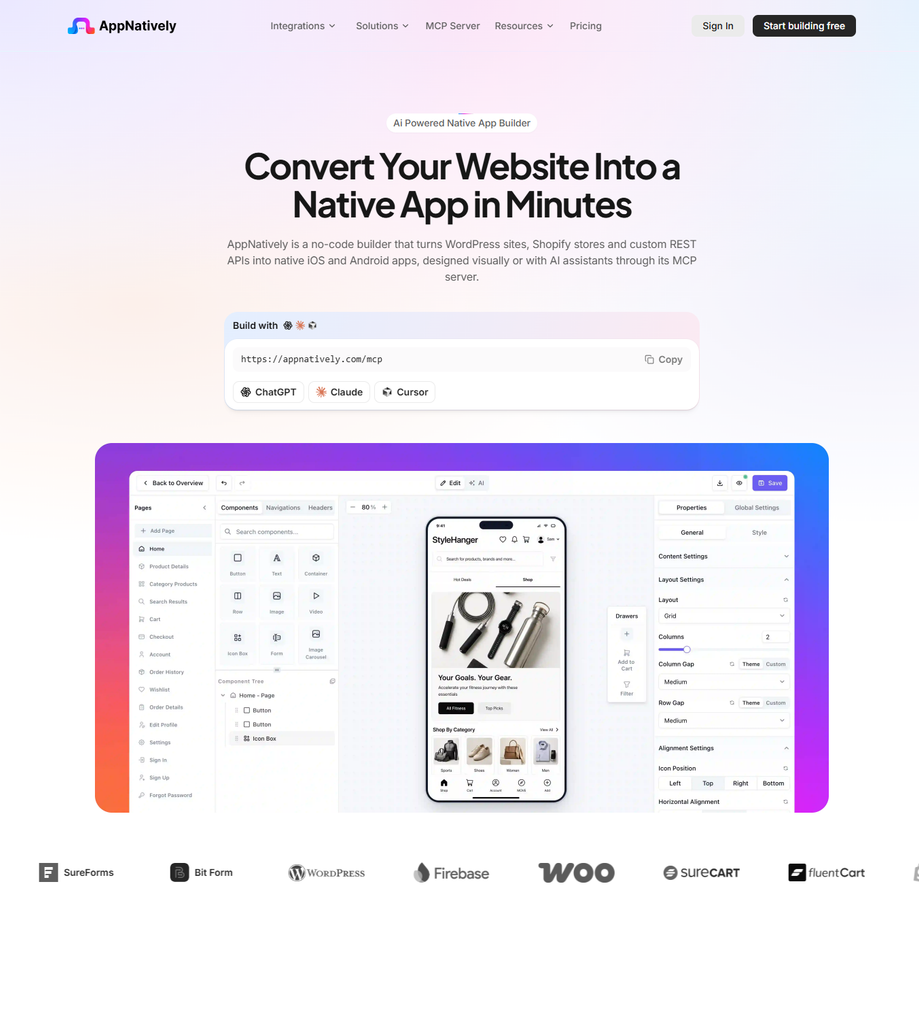
With AppNatively, you can:
- Convert your sports streaming website into Android and iOS apps without extensive coding.
- Maintain a single website while keeping your mobile apps updated automatically.
- Enable native features such as push notifications to alert users about live matches, upcoming tournaments, and breaking sports news.
- Publish branded apps on Google Play and the Apple App Store with minimal development effort.
- Save months of engineering time compared to building native apps from the ground up.
For sports broadcasters, leagues, clubs, OTT startups, and media companies looking to expand their mobile presence quickly, AppNatively offers a practical way to reach users on their favorite devices while continuing to manage content through an existing website.
Conclusion
Building a live sports streaming app requires a clear product strategy, appropriate broadcasting rights, reliable video infrastructure, a user-friendly application, and a sustainable business model.
Start with a defined audience and a manageable set of events. Use proven streaming technology, prioritize playback reliability, secure the content, and test the entire system before exposing it to a large audience. Once the core experience works consistently, expand into subscriptions, advertising, tournament management, analytics, and other features that support growth.
For sports organizations and entrepreneurs, the opportunity is not simply to stream video. It is to build a digital platform that brings fans, teams, tournaments, and sporting communities closer together.
With the right architecture and development strategy, a live sports streaming app can become a foundation for a broader sports technology business.
Frequently Asked Questions (FAQs)
How long does it take to build a live sports streaming app?
A basic MVP may take a few months, while a multi-platform streaming service with subscriptions, advanced security, and high-availability infrastructure can take considerably longer. The timeline depends on feature complexity, integrations, team size, and testing requirements.
Can I build a live sports streaming app without developing my own streaming server?
Yes. You can use a managed video platform or cloud media services for ingestion, encoding, packaging, and delivery while building the application and business features separately. This reduces the amount of streaming infrastructure your team needs to maintain.
What is the best streaming protocol for sports apps?
There is no single best protocol for every use case. HLS is a strong choice for broad device compatibility and large-scale delivery. MPEG-DASH is another adaptive streaming option, while WebRTC can suit experiences that require very low latency and interactivity. RTMP and SRT may be used to transport the source feed into the streaming pipeline.
How much does it cost to operate a live sports streaming app?
Operating costs depend on video delivery volume, encoding, storage, software hosting, monitoring, support, and content licensing. Viewer hours and bitrate are especially important when estimating video delivery expenses. Obtain provider quotes using realistic audience and viewing-duration assumptions.
Do I need broadcasting rights to stream sports events?
Operating costs depend on video delivery volume, encoding, storage, software hosting, monitoring, support, and content licensing. Viewer hours and bitrate are especially important when estimating video delivery expenses. Obtain provider quotes using realistic audience and viewing-duration assumptions.
Do I need broadcasting rights to stream sports events?
Generally, you need appropriate authorization to distribute the events and content you stream. The precise requirements depend on the event, rights holder, jurisdiction, and type of use. Recording permission alone does not necessarily grant streaming rights.
Can a sports streaming app include live scores and tournament management?
Yes. The app can combine live video with schedules, scorecards, statistics, tournament brackets, team profiles, and event administration. The implementation depends on whether match data is entered manually, generated by an integrated scoring system, or supplied by a third-party data provider.
How can a sports streaming app make money?
Common revenue models include subscriptions, pay-per-view events, advertising, sponsorships, and business-to-business licensing. A platform can combine multiple models when its audience, contracts, and distribution policies support them.
How do I prevent buffering during a live match?
Use adaptive bitrate streaming, a properly configured CDN, reliable encoding, sufficient origin capacity, and resilient source feeds. Test the platform under realistic peak demand and monitor playback performance during actual events. Buffering cannot be eliminated entirely because viewer networks and devices vary.
Should I build a native or cross-platform sports streaming app?
Native development can offer tighter platform-specific control, while cross-platform frameworks can reduce duplicated application development. Both can support streaming when paired with suitable playback components. Choose based on device requirements, team expertise, budget, and playback quality expectations.
Is it better to build a sports streaming app or a complete sports management platform?
It depends on the business objective. A streaming-first app focuses on broadcasting and viewer engagement. A broader sports management platform may also include team administration, registrations, scheduling, scoring, tournament brackets, and analytics. Combining them can provide a more complete solution for leagues and organizers, but it also increases scope.